Mewsse

🏳️‍🌈 Mewsse

My small personnal blog, where I will try to post more articles about things

Bluesky and personal data: self-hosting your own PDS

Bluesky is built on top of the AT Protocol, a decentralized protocol for large-scale social web applications. If you're using Bluesky like any other social network, with an account created on the official app or website, everything is hosted and controlled by Bluesky. Your data is hosted on Bluesky's servers, you're using Bluesky's relay to get posts, and you're viewing your feed with Bluesky's AppView.

But we can (almost) self-host all of Bluesky's infrastructure. So let's begin by hosting our own Personal Data Server. It's not that hard!

pdsls.dev
pdsls.dev showing my account on my own PDS

Ok, but why?

I really love Bluesky for many reasons, but I still hate the idea that a private company owned by private investors is hosting my personal data. Bluesky is not as decentralized as other federated networks like Mastodon, and it's mainly controlled by Bluesky. But the situation is evolving with projects like Blacksky or Northsky Social, or by using your own PDS.

To understand how Bluesky works, we need to define some elements of the AT Protocol and its core components:

  • DID PLC Directory: It's like the phone book of the network. By reading the DNS TXT record _atproto.user.bsky.social, we can get the DID of the user and then use the PLC directory to get the user's identitifier. For now this is the only service that is not self-hostable, but you can self-host a relay if you want.
  • Relay: It's like an aggregator of PDS that also caches data and send them as events on a websocket for anyone who wants to listen in. This can be self-hosted but it's really resource intensive.
  • AppView: The application you use to see your feed, like bsky.app. You can build your own and add custom features.
  • PDS: Where the user data is stored: posts, likes, blocks, pictures, ... Many alternative clients already exists!

By controlling your own PDS, you control your data and how it's backed up, migrated... You can still use the Bluesky App View to access your account. If Bluesky PDS is down, you can still post because you are not affected. If anything happens to Bluesky (hostile takeover?), you still own your data.

Let's self host

The Bluesky team made a lot of efforts to easily set up your own PDS. The official documentation is really clear and easy to follow and your PDS should be running in a couple of minutes. Follow it for the initial setup, but stop at "Verifying that your PDS is online and accessible" if you want to migrate your account.

The default setup is great if you have a server used only for hosting your PDS. In my case, a lot of things are hosted here and I'm already using Nginx as a reverse proxy. So while I've used the official setup to get everything ready, I edited the default /pds/compose.yaml file to my taste:

version: '3.9'
services:
  pds:
    container_name: pds
    image: ghcr.io/bluesky-social/pds:0.4
    restart: unless-stopped
    volumes:
      - type: bind
        source: /pds
        target: /pds
    env_file:
      - /pds/pds.env
    ports:
      - 4000:3000
  watchtower:
    container_name: watchtower
    image: containrrr/watchtower:latest
    network_mode: host
    volumes:
      - type: bind
        source: /var/run/docker.sock
        target: /var/run/docker.sock
    restart: unless-stopped
    environment:
      WATCHTOWER_CLEANUP: true
      WATCHTOWER_SCHEDULE: "@midnight"

Then a bit of Nginx configuration to set up the reverse proxy:

server {
  server_name pds.mewsse.pet;
  # don't forget to increase max body size
  # to prevent crash if your car file or blob are big!
  client_max_body_size 100m; 

  location / {
    proxy_set_header Host $http_host;
    proxy_set_header X-Real-IP $remote_addr;
    proxy_set_header X-Forwarded-For $proxy_add_x_forwarded_for;
    proxy_set_header X-Forwarded-Proto $scheme;
    proxy_set_header Upgrade $http_upgrade;
    proxy_set_header Connection $connection_upgrade;
    
    proxy_http_version 1.1;
    proxy_pass http://127.0.0.1:4000;
  }

  # auto-validate any account on this PDS are "adults".
  # yep, you don't need to scan your face.
  location /xrpc/app.bsky.unspecced.getAgeAssuranceState {
    default_type application/json;
    return 200 '{"lastlnitiatedAt":"2025-07-14T14:23:44.254Z", "status":"assured"}';
  }
}

And to be ready to migrate your account, you will need an invite code from your all new PDS:

sudo pdsadmin create-invite-code

Now let's migrate

In this example, we will do it manually from our terminal, using goat, a CLI tool made to interact with the AT Protocol written in Go. Tools like ATPAirport can do this automatically for you and migrate your data from one PDS to another easily through a web interface.

First step, log in to your current Bluesky account with goat and request a PLC token to be able to migrate. You will receive it via an email sent to the address linked to your account:

goat account login -u $HANDLE -p $PASSWORD
goat account plc request-token

Now that everything is ready and running, you can migrate your account using the goat account migrate command:

goat account migrate \
  --pds-host $FULL_URL_OF_NEW_PDS \
  --invite-code $INVITE_CODE \
  --plc-token $PLC_TOKEN \
  --new-handle $HANDLE \
  --new-email $EMAIL \
  --new-password $NEW_PASSWORD

The migration can take several minutes, or even crash if something goes wrong, but should not result in any problems if it fails.

When the migration is done, goat will automatically disable the old account on the Bluesky PDS. If you use the same handle as your old account, nothing will change for anyone except you: you will need to log in with your own PDS on the App View, as the old account is now disabled on the Bluesky PDS.
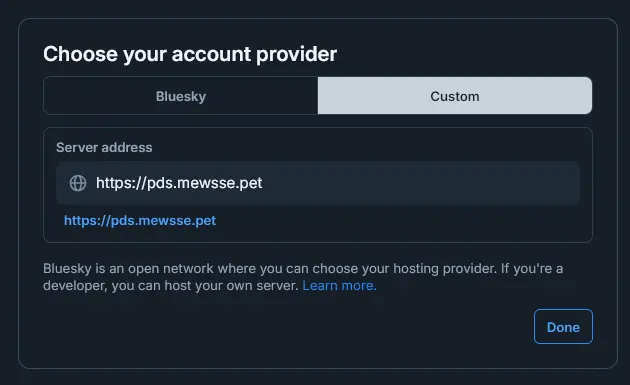
Bluesky login alt PDS
You can use a custom PDS in the Bluesky AppView

I didn't have any problems migrating both my accounts with more than 2k posts, but your mileage may vary. If you have any problems with the auto migration, @bnewbold.net has an excellent article on how to migrate manually with goat: https://whtwnd.com/bnewbold.net/3l5ii332pf32u

That's it, enjoy your own PDS! And don't forget to log out your old account on goat

goat logout

Bonus round: backups

Everything is stored in the /pds directory and all the databases use SQLite. A simple copy can be used as a backup. To prevent any issues, I suggest you to stop the PDS service before doing anything, that will prevent any locks on the databases or corrupted blobs.

This is my quick and dirty script to create a backup every day, in /etc/cron.daily:

#!/bin/bash

FILENAME = "/tmp/backup-$(date +'%d-%m-%Y-%H-%M-%S').tar.gz"
service pds stop
tar -cz -f ${FILENAME} /pds/
service pds start
scp -q ${FILENAME} user@host:/pds-backup/
rm ${FILENAME}

If anything happens to your server, you just have to install the service again and extract your backup!

How it was made ?

Since the launch of my blog, a lot of friends asked me how it works and what's used to make it run or how the comments system is working. So here it is, a small how it was made ? article to explain everything if you are curious !

Small recap

I didn't want to use anything like WordPress (even if I work with it, like for Furry FR1) for my blog. I wanted something very light without a backend and easily self-hostable.

I also wanted something personal, just to learn a thing or two and unrust my skills, because it's been a long time since I really developed something for myself (talk about a big lack of motivation). So Hugo, Jekyll or 11ty were out the window for this project. I needed to do it myself.

This is the result, an easy to work blog with statically rendered files, only composed of HTML, CSS and a little of Javascript2 for the comment section (more on that later). As it's fully rendered as static html, it's served with a small Nginx instance and can be easily cached by a CDN or whatever you are using. Use markdown, push to main, profit.

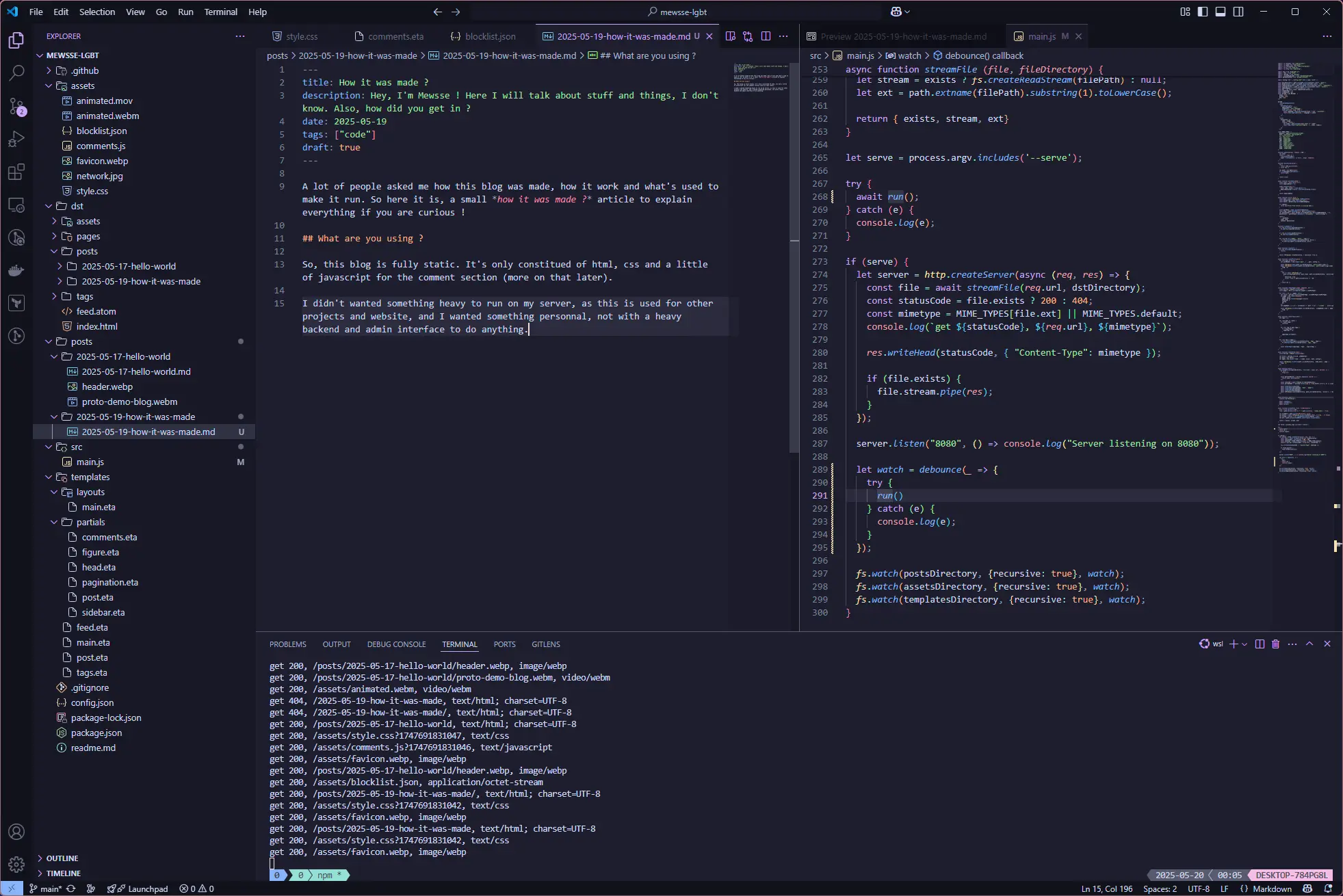
vscode
yes, it's this article being written

So, how does it work ?

Nothing very fancy: the code is written in javacript and running on Node.js 22. It's only using a small list of npm packages (for template rendering and markdown parsing/rendering) and nothing more. It's a modified version of the same code that run mewsse.gay, with more options and flexibility.

You can check the single file containing all the code (because why not, eh ?) and everything can be launched with npm run build or npm run serve if you want to see the result locally.

Everything is rendered in the dst directory, you can copy it wherever you like, spin up a small server to expose it to the interwebz and you're done!

How to use

A small config file is present at the root of the project, allowing quick editing of global configuration variables:

{
  "title": "Mewsse's blog", // default title of the blog
  "description": "Here comes a description", //default meta and og description
  "url": "https://mewsse.lgbt/", // root url, useful for the atom feed and open graph
  "image": "https://mewsse.lgbt/assets/favicon.webp", // default image used in the open graph
  "itemPerPage": 5, // number of posts per page
  "itemOnAtom": 20 // number of posts in the atom feed
}

All posts are contained in the posts directory and if the post is in a self named directory, all files adjacent to it will also be copied with the post, permitting inclusion of anything in the document, like the image of this article.

Posts use the Front Matter format, like Jekyll, to set variables for the post (title, description, date...) used for the rendering part.

---
title: Hello World !
description: Hey, I'm Mewsse ! Here I will talk about stuff and things, I don't know. Also, how did you get in ?
date: 2025-05-12
tags: ["tldr"]
image: header.webp
---

A feed is also auto-created, because RSS/Atom is still used, and all open graph metatags are also generated for each post, permitting easy integration on any service that know how to read them.

I even automated the build part with a gitea act runner running locally on my server. A single push on main and bam, update is live!

And for the comments ?

Comments are 100% rendered client side !

When I publish a post, I also publish the link in my bluesky. I then copy the link of the bluesky post and edit the front matter part of the post to add a bluesky property :

bluesky: bsky.app/profile/mewsse.pet/post/3lphoozf3q225

A small script calls the bluesky public API to get all replies and render them using a HTML5 template element3! To post a comment, just reply to the bluesky post ! I also added a custom blocklist as I can't call the graph to get all accounts I block... If you're on the list, sorry not sorry.

Footnotes

  1. Furry FR is an association for furry fandom enthusiasts in France that I'm volunteering for.

  2. no cap on the S. Nope. I don't want it.

  3. An element holding an HTML fragment that can be used via javascript, more on MDN.

Hello World !

I'm sorry, who are you ?

Hello !

I'm Mewsse, an enby wolfdog who love to make copyleft music for the furry fandom, I shitpost on main, I also post some code and share some links and, yes, I post my ass on the internet. I'm a queer furry, I go with any/all pronouns, and I will never stop being like this, deal with it ! You can find my refsheet here if you want.

I'm also working as a sys-admin (talk about cliché). Kube anyone ?

Time to get back to writing !

Let's be real, It's been a looooong time since I've set up a blog to share thoughts and ideas. The last time was.... heh, too long ago. Since then, a lot has changed, the internet has changed (mostly in a bad way), but in this cesspool of AI generated content, it's time to create my own little island where I can talk openly about anything, because why the hell not ?

What happened in the last 10 years since my last blog post ? (Yeah I've checked)

  • I found out that I'm Au-DHD1
  • I came back in the furry fandom (and finally got my own fursona)
  • I found a new and interesting job
  • I got back into music production
  • I finally found some motivation to restart some personal projects, like this blog

Yeah, a lot of stuff.

A demo of a track I'm working on

Why a blog tho ?

The main reason why I want to get back into writing a blog is simple : I was writing a lot in my twenties, but then life and stuff came. I didn't have the time or motivation to write anymore, and with time I lost the ability to write, to think and try to create a coherent string of thoughts that I could share with everyone. It's like a muscle that I didn't use for a long time.

Even sending a simple text to my bluesky can be hard now because I simply don't know what to say... Or maybe I just should shitpost more ?

So, to recap : sometimes I will talk about networking, kube or why I hate the cloud and other sys-admin things. I will talk about music production and how Spotify is trying to destroy all small creators or why AI is bad (did I tell you that I hate generative AI ?) and I love to poison AI2. And maybe I will just talk about life™️ or the furry fandom.

Now let's try to write a new post each week ! See ya !

Mewsse

Footnotes

  1. the combination of autism (ASD) and attention deficit hyperactivity disorder (ADHD).

  2. this blog and all my other websites send all known AI bots to a 10GB file of random gibberish. Fuck AI 💜.